
 English
 Русский
What Is AG Auto Clicker?
AG Auto Clicker, developed by Bright Prospect, is a free automation utility for Android that simulates taps, swipes, and long presses on your screen without requiring root access. The idea is straightforward: instead of performing the same touch actions manually over and over, you configure the app once and let it handle the repetition for you.
The app requires Android 8.0 or above and has been downloaded over 10 million times on Google Play, averaging around 26,000 downloads per day. It covers everything from casual gaming automation to scheduled task management, making it one of the more versatile auto-clicker tools available on Android.
How AG Auto Clicker Works
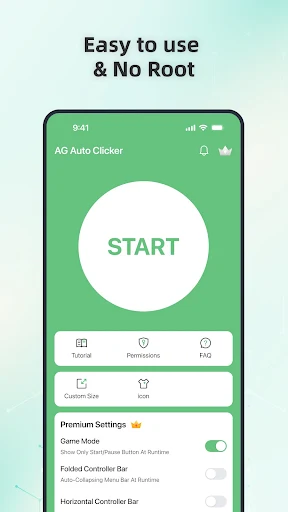
Getting started is genuinely simple. After installing the app, you grant the required Accessibility Services permission, which the app needs to perform taps and swipes on your behalf. This permission is disabled by default and only activates after you manually enable it. Once that is done, you set your click positions, sequences, and timing, then start the automation with a single tap.
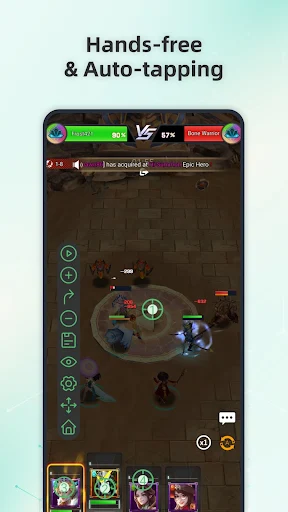
A floating control panel stays on top of whatever app you are using, letting you pause, stop, or adjust the automation at any point without switching back to the AG Auto Clicker interface. All actions run strictly based on your configuration. The app does not perform any background actions without your awareness and does not bypass system restrictions or third-party app protections.
Key Features
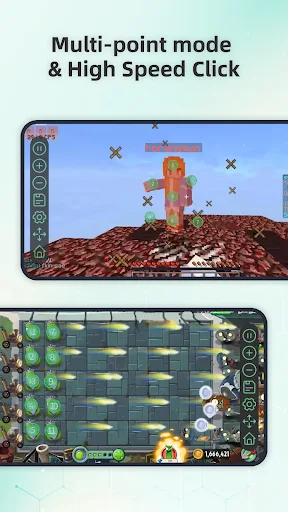
Multi-Point and Multi-Touch Automation: You can create sequences of taps or swipes that run either simultaneously or in a defined order. This gives you full control over complex input patterns that a single tap setting could not replicate.
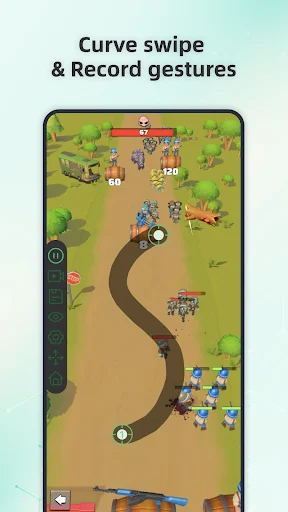
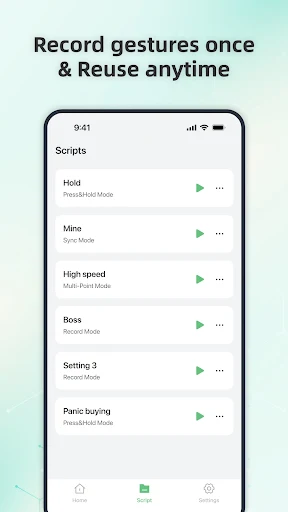
Record and Playback: Rather than manually entering every coordinate and gesture, you can record your on-screen actions directly, then replay them on demand. The record mode captures taps, swipes, and long presses for accurate playback.
Script-Based Automation: For more advanced use, the app lets you combine taps, swipes, long presses, delays, and loops into custom scripts. This makes it particularly useful for gaming scenarios where a fixed sequence of inputs needs to repeat reliably over time.
Scheduled Start and Interval Control: You can set a delayed start time and fine-tune click intervals down to 1ms for ultra-fast automation. This level of precision is useful for time-sensitive tasks like securing limited-stock items on shopping platforms.
Reusable Click Patterns: Saved patterns are stored by date, making it easy to retrieve and reuse a previously configured sequence without reconfiguring from scratch.
Synchronous Clicking: Multiple click points can be triggered simultaneously, which is useful for tasks that require parallel inputs across different areas of the screen.
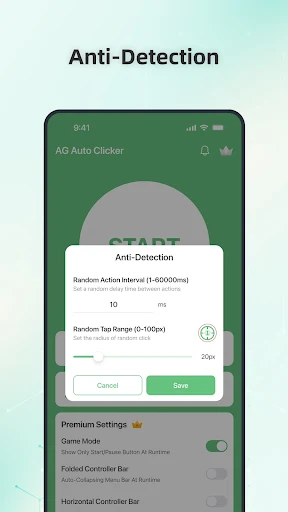
Game Mode: The app includes an anti-detection feature designed to keep automation running in games without triggering detection systems.
Floating Control Panel: An adjustable overlay stays visible during automation, giving you immediate access to pause or stop controls without interrupting what the app is doing.
Common Use Cases
AG Auto Clicker fits a wide range of tasks where manual repetition is either tedious or time-consuming.
Mobile Gaming: The most common use case. Players use it to automate resource collection, level grinding, coin farming, and repeated combat actions in games like Roblox and other mobile titles, freeing up time without sacrificing progress.
Shopping Automation: For limited-time sales or ticket purchases where speed matters, the app can execute taps faster and more precisely than any manual effort.
Auto-Replies and Check-Ins: The app supports automatic replies to text messages and scheduled check-ins, handling routine communication tasks without manual input.
App Testing and QA: Developers testing repetitive UI flows can use the record and playback feature to simulate user interactions consistently across testing sessions.
General Productivity: Any task that involves repeatedly tapping through menus, liking posts, or navigating an app in a fixed pattern can be automated, reducing screen time spent on low-value actions.
Accessibility Permission: What It Means
AG Auto Clicker requires the Android Accessibility Services API to perform its core functions. On Android 12 and above, this permission is mandatory for the app to execute clicks and swipes at all. The developer states that this permission is used solely for automation features and that no personal data, account credentials, or sensitive information is collected or shared through it.
That said, granting Accessibility Services access does give an app broad interaction rights on your device. Users who are concerned about this should review the app’s permissions carefully before enabling them. The permission is not active by default, and the app cannot perform any automated actions until you explicitly turn it on.
Limitations
- The app runs ads, and user reviews consistently flag ad frequency as a significant annoyance, particularly on the free version
- Some features require a paid upgrade, though core automation functionality remains available for free
- Accessibility Services permission is required for full functionality on Android 12 and above, which some users may prefer to avoid
- Some websites and apps with anti-automation protections may detect and block automated inputs
Final Thoughts
AG Auto Clicker delivers on its core promise. For anyone dealing with repetitive on-screen tasks, whether in games, shopping apps, or routine workflows, it provides a capable and configurable solution without needing root access. The multi-touch support, gesture recording, script creation, and 1ms click intervals cover most automation scenarios you would realistically encounter on Android. Ad frequency on the free version is a genuine drawback, but the underlying functionality is solid and the majority of useful features remain accessible without paying. With over 10 million downloads, it has established itself as a go-to auto-clicker for Android users.
Similar Tools Apps
If you find AG Auto Clicker-Auto Tap useful, you might also want to explore TeraBox Premium, ExpressVPN: Fast & Secure VPN and Panda Mouse Pro. These are top-rated Tools apps for Android that complement AG Auto Clicker-Auto Tap well and offer additional functionality.
Related Posts

ExpressVPN: Fast & Secure VPN
Updated
 76 MB
76 MB
 v12.58.0
 Unlimited Accounts For Free

TeraBox Premium
Updated
116 MB
v4.13.7
Premium Unlocked

Panda Mouse Pro
Updated
8.91 MB
v9.2
Full Version (PREMIUM)

ZArchiver Donate
Updated
4.62 Mb
v1.0.10
MOD

SHAREit
Updated
13.54 Mb
v1.1.98
premium

vpnify
Updated
31.3 Mb
v2.2.9
unlimited