
 English
 Русский
Alight Motion Android Review: Professional Motion Graphics in Your Pocket
Most mobile video editors cover the basics well enough. Trimming clips, adding filters, slapping on a caption and calling it done. Alight Motion is a different kind of app entirely. Built from the ground up as a motion design tool for smartphones, it brings keyframe animation, multi-layer compositing, and vector graphics editing to Android in a package that serious creators actually use. It is not the easiest app to walk into cold, but for anyone willing to spend time with it, the creative ceiling is genuinely high.
What Is Alight Motion?
Alight Motion is a free-to-play motion graphics and video editing app for Android and iOS, developed by Alight Creative, Inc. Described by its own developers as the first motion design app built specifically for smartphones and tablets, it targets creators who want professional animation tools without needing desktop software. The app is available on Google Play and the App Store, requires Android 7.0 or higher, and needs at least 1.5 GB of RAM to run effectively.
The app sits at a 3.9-star rating on Google Play from over 1.18 million reviews, which reflects both its broad user base and the divide between casual users and dedicated creators who rely on it daily.
Core Features: What Sets Alight Motion Apart
Keyframe Animation
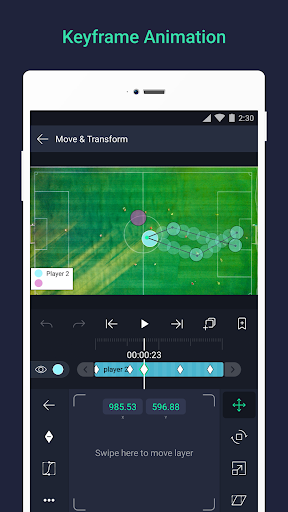
The most powerful tool in Alight Motion is its keyframe system. Keyframes let you set specific points in time to define how an element behaves, controlling properties like position, scale, rotation, opacity, and color frame by frame. This is the same fundamental approach used in professional desktop tools like Adobe After Effects, and having it on mobile opens up motion design workflows that most Android editors simply cannot replicate. Animation easing options let you choose from preset timing curves or build your own, giving smooth, natural-looking movement rather than mechanical transitions.
Multi-Layer Editing
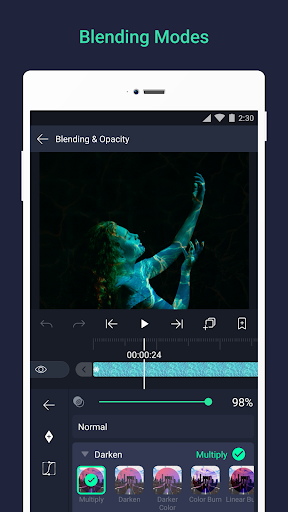
Alight Motion supports unlimited layers of graphics, video, and audio on a single timeline. Layers can be videos, images, text, shapes, or audio tracks, and each can be manipulated independently. This multi-layer approach makes complex compositions possible directly on a phone screen, from simple text overlays to fully layered motion graphics sequences. Masking groups and blending modes add further control over how layers interact with each other visually.
Vector Graphics and Illustrations
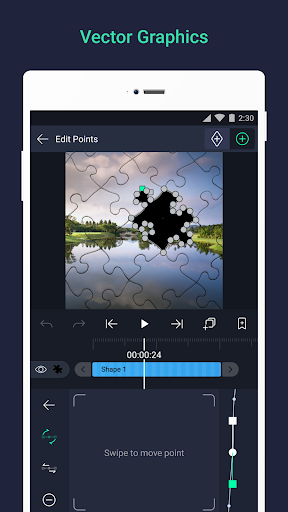
One of the more distinctive features is the built-in vector graphics editor, which lets you create and edit vector shapes and freehand illustrations directly inside the app. Combined with support for a wide library of shapes including circles, droplets, snowflakes, and many others, this gives designers the tools to build original graphics from scratch rather than relying entirely on imported assets.
Visual Effects Library
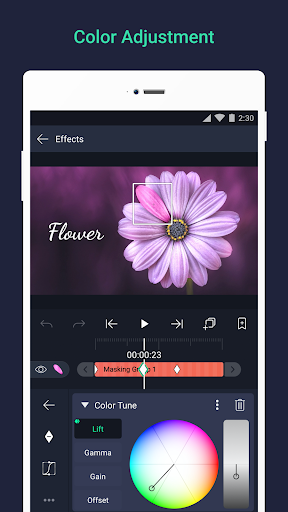
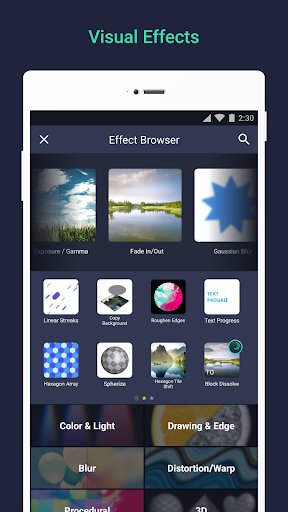
The app includes over 100 customizable effect components that can be combined in virtually any configuration to produce unique visual results. Effects span categories including blur, color correction, turbulence, shake, and 3D transformations. Chroma key support allows green screen compositing on Android, though video transparency features are currently limited to Apple platforms. The breadth of the effects library is one of the main reasons Alight Motion has built a dedicated community of creators who share and remix effect presets.
Export Options
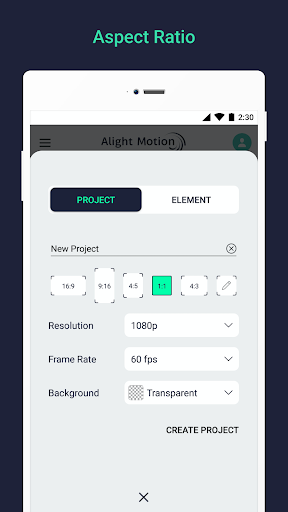
Alight Motion supports export in multiple formats: MP4 video in H.264 and HEVC codecs, GIF animations, PNG image sequences, and still images. The app supports video editing and export at resolutions up to 4K at 60 frames per second, which is a meaningful step above the 30fps ceiling found in most mobile editors. Higher frame rates make motion content look sharper and more fluid, which matters for content destined for TikTok, Instagram Reels, and YouTube Shorts.
XML File Support
A feature that distinguishes Alight Motion within its creator community is XML import and export. XML files store complex project settings, animation presets, and transition configurations that can be shared, reused, and applied across different projects. The community around Alight Motion has grown largely because of this, with creators sharing custom XML presets for trending effects and transitions, significantly shortening the time it takes to replicate popular styles.
Interface and Learning Curve
The editing interface centers on a blank canvas with standard playback controls and a timeline positioned below. Navigation is logical once familiar, but the initial home screen is noted by multiple reviewers as scattered and harder to orient around than the editing workspace itself. The app includes in-app tutorial videos on the home screen covering techniques like character animation, transitions, and motion effects, which helps new users get productive without hunting for external guides.
Controls allow precise numerical input for dimensions and positioning, which benefits users who need exact measurements in their compositions. Graph-based animation controls give advanced users detailed manipulation of timing curves.
The honest assessment is that Alight Motion has a steeper learning curve than casual editors like CapCut or InShot. It is designed for creators who want to do more, and that ambition comes with a corresponding investment of time.
Performance and Device Requirements
Performance in Alight Motion depends heavily on device specs. The app requires at least 1.5 GB of RAM and Android 7.0 or above. On capable hardware, edits process quickly and multi-layer projects run smoothly. On lower-end devices, lag is a recurring complaint from long-term users, particularly during playback of complex projects with many layers or heavy effects. Export times scale with project complexity, and projects with numerous layers can take noticeably longer to render.
Battery consumption is above average for a creative app, which is worth noting for extended editing sessions. Some users have also reported occasional export failures, though clearing the app cache and restarting the device resolves this in most cases.
Currently, Alight Motion does not have a native PC or Mac desktop version, though the app can be run on Windows or Mac through Android emulators like BlueStacks. A recurring request from the user community is an official desktop release, which would address performance and lag issues that stem from running complex projects on mobile hardware.
Free Version vs. Pro Subscription
Alight Motion uses a freemium model. The free version gives access to the core editing tools and is a genuinely capable starting point, but it comes with meaningful limitations. Exported videos carry an Alight Motion watermark, access to certain effects, fonts, and premium assets is restricted, and project packages cannot be exported or shared. Ads appear after exports in the free version, though notably they do not interrupt the editing workflow itself.
The Pro subscription removes the watermark, unlocks the full effects library, enables project package export and sharing, and removes ads entirely. Subscription rates are available inside the app via the profile screen under Membership Options, and payments are processed through Google Play on a monthly or annual basis. The annual plan is priced at $19.99 USD per year. Alight Creative notes that subscription rates may be adjusted periodically for currency or cost changes, but existing subscribers retain their locked-in rate as long as they remain subscribed.
Outside of the free tier and paid subscription, there is no one-time purchase option. Users who want to evaluate the full feature set before committing can make use of a free trial period offered when first downloading the app.
Community and Preset Sharing
One of Alight Motion’s defining characteristics is the active creator community built around it. The XML sharing ecosystem means that trending effects, transitions, and animation styles circulate quickly through platforms like TikTok, Instagram, and Reddit, where creators share their custom presets. This community-driven content extends the app’s practical capabilities well beyond what any individual creator could build alone, and it is a significant reason why Alight Motion has maintained relevance among mobile creators since its early versions.
Audio Editing
Alight Motion supports multiple audio tracks on the timeline and includes basic audio controls including volume adjustment and synchronization with visual elements. Advanced audio processing tools like equalization, reverb, echo, and pitch shifting are available in the Pro version. The audio toolset is serviceable for the typical motion graphics use case but it is not a substitute for dedicated audio editing software. Users who need precise audio work will generally treat Alight Motion as the visual layer and handle audio in a separate app.
How Alight Motion Compares
Against other mobile editors, Alight Motion occupies a specific position.
CapCut is more accessible, with a beginner-friendly interface and trend-driven effects that require less time to learn. For quick edits and social media content, CapCut is faster to pick up. Alight Motion goes deeper on animation control and is the better choice for creators who want precise, custom motion graphics.
KineMaster offers solid multi-layer video editing and is competitive for general video production on mobile. Alight Motion differentiates itself primarily through its keyframe animation system and vector graphics tools, which KineMaster does not match.
Adobe Premiere Rush handles standard video editing cleanly and connects to the broader Adobe ecosystem, but it is built for video editing rather than motion design. For animated graphics and effects-driven content, Alight Motion is the stronger mobile option.
Who Should Use Alight Motion?
Alight Motion is built for mobile content creators who want professional-level animation and motion graphics tools on Android. If you regularly produce edited video content for social media and want effects and transitions that go beyond what standard editors offer, this is the app that makes that possible on a phone.
It is less suited to users who want a fast, simple editing experience without a learning curve. The depth that makes Alight Motion powerful also makes it slower to get started with. Casual users who primarily trim clips and add music will find better options elsewhere.
For dedicated creators producing motion graphics, animated content, or heavily effects-driven videos on Android, Alight Motion is the most capable tool available on the platform. The free version is a reasonable starting point to assess fit, and the Pro subscription is priced fairly relative to what it unlocks.
Similar Video Editing Apps
Creators looking for alternatives to Alight Motion on Android may want to consider CapCut for a more accessible entry point into mobile video editing, or KineMaster for professional multi-layer video production. For users already in the Adobe ecosystem, Adobe Premiere Rush offers a familiar workflow on mobile.
Similar Video Players & Editors Apps
If you find Alight Motion useful, you might also want to explore CapCut – Video Editor, Wink and AI Video Editor – VivaCut. These are top-rated Video Players & Editors apps for Android that complement Alight Motion well and offer additional functionality.

 291 MB
  v17.3.0