 English
 Русский
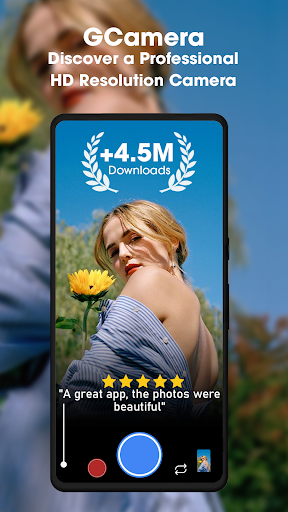
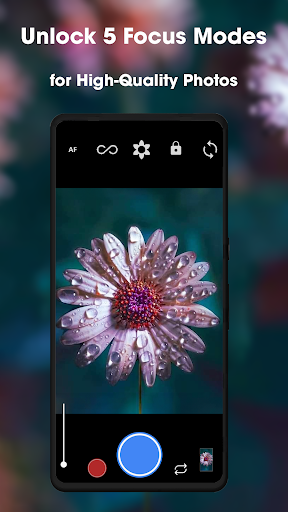
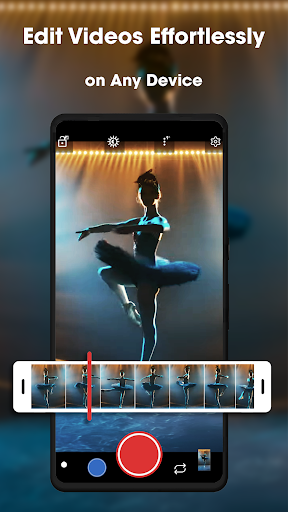
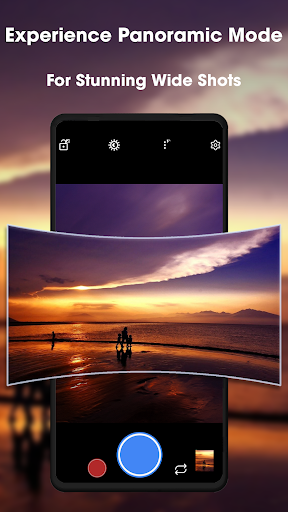
What Is Camera GCam?
Camera GCam, short for Google Camera, is a photography app originally developed by Google exclusively for its Pixel smartphones. First released on the Google Play Store in 2014, it quickly earned a reputation as one of the most technically advanced camera apps on Android, not because of hardware, but because of what it does with software. Google rebranded it as Pixel Camera in October 2023, aligning the name with the device it was built for.
What makes GCam particularly significant for the wider Android community is the work of third-party developers who have created modified versions called GCam ports. These ports adapt the app’s computational photography algorithms to run on non-Pixel devices from manufacturers including Samsung, Xiaomi, OnePlus, Realme, ASUS, Motorola, Sony, Nokia, and many others. For anyone frustrated with their phone’s stock camera app, a GCam port is often the most impactful upgrade available without touching the hardware.
How GCam Works
Most stock camera apps prioritize speed and simplicity, which often means applying heavy-handed processing that produces oversaturated, artificial-looking images. GCam takes a different approach. Instead of capturing a single frame, it shoots multiple exposures in rapid succession and merges them using computational photography algorithms. The result is better dynamic range, reduced noise, and more natural color reproduction in a single photo.
This software-first philosophy is why Pixel phones have consistently ranked among the top smartphone cameras despite often using the same sensors found in competing devices. The camera app’s processing is doing work that other manufacturers leave to hardware.
For non-Pixel devices, the key requirement is Camera2 API support. This API controls what camera settings and capabilities a device exposes to third-party apps. Full Level 3 support unlocks all GCam features, while Limited or Legacy support restricts certain capabilities. Devices also need Google Play Services installed, though tools like MicroG or GCam Services Provider can substitute in some configurations.
Key Features
HDR+ (High Dynamic Range Plus): HDR+ is the foundation of GCam’s image quality advantage. It captures multiple exposures at high speed and combines them into a single balanced image, preserving detail in both bright highlights and deep shadows simultaneously. The result is a photo that more closely resembles what the human eye perceives, particularly in challenging outdoor or mixed-lighting conditions.
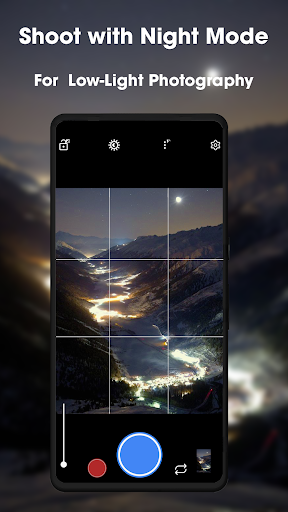
Night Sight: Night Sight is GCam’s low-light photography mode. Rather than using flash, it takes a series of images over a short exposure period and blends them to eliminate noise while retaining brightness and detail. Scenes that would appear dark, grainy, or unusable with a stock camera app become clear and well-defined. It is one of the features most frequently cited as the reason people seek out GCam ports.
Astrophotography Mode: An extension of Night Sight, Astrophotography mode is designed specifically for capturing the night sky. It uses extended exposures of up to four minutes, stacking and merging frames to reveal stars and the Milky Way in conditions where the naked eye struggles to see them.
Portrait Mode: GCam’s Portrait mode uses depth mapping and AI-based edge detection to create background blur that looks convincingly natural. Hair, glasses, and jewelry edges are handled with accuracy that outperforms most stock camera implementations. Blur intensity can be adjusted after the fact, and depth data is stored with the photo for post-processing flexibility.
Super Res Zoom: Rather than simple digital cropping, Super Res Zoom uses the natural micro-movements of a handheld device combined with machine learning to construct a higher-resolution image when zooming in. On devices with multiple camera sensors, GCam’s Fusion Zoom blends input from different lenses to maintain quality across the zoom range.
Cinematic Blur (Video Portrait Mode): Cinematic Blur applies the Portrait mode background blur effect to video recordings, creating a shallow depth-of-field look during filming. The effect runs in real time and does not require post-processing.
Top Shot: Top Shot captures a burst of frames around the moment the shutter is pressed and then suggests the best frame from the burst. It is particularly useful for group photos or moving subjects where the main capture might catch someone mid-blink or mid-motion.
RAW and HEVC Support: GCam supports saving photos in both RAW and JPEG formats simultaneously, giving users who post-process their images in Lightroom or similar tools the full uncompressed data from the sensor. Video can be encoded in HEVC to reduce file size without sacrificing quality.
Google Photos Integration: Photos taken with GCam sync directly to Google Photos, where cloud storage, editing tools, and search are accessible. The app also integrates Google’s QR code scanner and Lens-based object search, features that stock cameras cannot access without Google Apps support.
XML Config Files: GCam ports support loading XML configuration files that apply device-specific or use-case-specific settings in a single step. Config files allow users to optimize settings for their exact hardware without manually navigating the full settings menu, and the GCam community maintains and shares configs for a wide range of devices.
Popular GCam Port Versions
The GCam modding community is active and maintains multiple port versions suited to different devices and Android versions. BSG’s port is widely regarded as one of the most stable and broadly compatible options, with support for Android 11 and above. The latest BSG release as of early 2026 is MGC 9.4.103 V36. BigKaka’s port covers similar Android versions with a different optimization focus, and Shamim’s port targets devices running Android 9 and above. For devices running Android 9 or 10 that cannot run newer ports, GCam 8.1 through 8.5 remain the recommended versions.
For devices with limited hardware, Google Camera Go offers a lighter version of the app compatible with Android 8.0 and above, designed for entry-level phones where the full GCam port may run poorly or crash.
Installation and Compatibility
Installing a GCam port requires enabling installation from unknown sources in Android settings, since the APKs are distributed outside the Play Store. Before downloading, checking Camera2 API compatibility is recommended. A Camera2 API Probe app available on the Play Store shows the supported level for your device. Snapdragon-based phones generally have the broadest compatibility with available ports. Exynos and MediaTek devices have fewer options, though support has improved steadily.
The process involves selecting the right port version for your chipset and Android version, downloading from a trusted source such as Celso Azevedo’s site or XDA Developers, and optionally loading a device-specific XML config file for optimized settings. If the first version tested produces crashes or missing features, trying an older or different port variant is the standard troubleshooting step.
Limitations
- GCam ports are unofficial modifications distributed outside the Play Store, which carries inherent security considerations. Installing APKs from unfamiliar sources always carries risk, and users should stick to well-known community sources
- Compatibility is not guaranteed across all devices. Some phones, particularly those with MediaTek chipsets or restricted Camera2 API support, may experience limited functionality, crashes, or features that simply do not work
- Some sensor-specific features, such as those tied to proprietary camera hardware on Pixel phones, cannot be replicated on other devices regardless of the port version used
- The app’s interface has minimal manual controls compared to dedicated camera apps like Camera FV-5 or ProCamera, which may frustrate photographers who prefer full manual override
- Occasional processing delays can occur when handling high-resolution images, particularly on older hardware
- Ports require periodic updates after major Android OS upgrades, and there can be a gap between an OS update and a stable compatible port release
Final Thoughts
Camera GCam represents one of the most consequential software upgrades available to Android users who are willing to sideload an APK. The difference it makes on mid-range and even some budget phones is often dramatic, particularly in low-light conditions where Night Sight and HDR+ have no real equivalent in stock camera apps. The active developer community behind GCam ports means the ecosystem stays current, with new versions releasing regularly and configs available for a wide range of devices. The security consideration of installing from outside the Play Store is real and worth acknowledging, but for users who source their APKs from established community repositories, GCam remains the most practical way to access Pixel-quality computational photography on any compatible Android device.
Similar Photography Apps
If you find GCamera: GCam & HD Pro Photos useful, you might also want to explore GPS Map Camera and Hypic – Photo Editor & AI Art. These are top-rated Photography apps for Android that complement GCamera: GCam & HD Pro Photos well and offer additional functionality.
 60 MB
60 MB  v1.9.10