
 English
 Русский
What Is Clone App?
Clone App, also known as XClone App, is a free Android utility developed by SZPY Tech that lets you run multiple accounts of the same app simultaneously on a single device. Built on Android virtualization technology, it creates a parallel space where cloned versions of social media apps, messaging platforms, and mobile games operate completely independently from the originals. No root access required.
The app has been available on Google Play since December 2020 and carries a 4.36-star rating from over 67,000 reviews. It pulls in around 320,000 downloads per month, making it one of the more consistently used app cloners on Android. It requires Android 5.0 and above and weighs in at 42 MB.
How Clone App Works
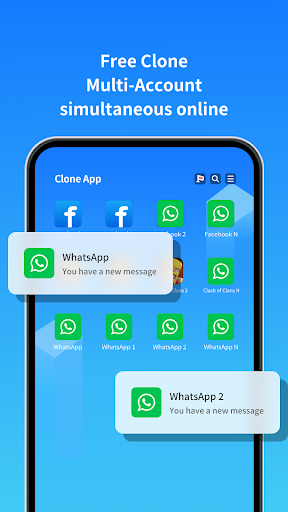
The concept is straightforward. You install Clone App, select any app already on your device, and the tool creates a second, fully independent instance of it inside a virtual parallel space. That cloned version runs separately from the original, with its own login, data, and notifications. The two instances never interfere with each other.
Switching between accounts is handled directly from within Clone App’s interface, so there is no need to log out and back in manually. Each cloned app behaves exactly as it would if installed normally, receiving push notifications and running in the background according to standard Android behavior.
The free version supports two accounts per app. Upgrading to VIP removes that cap and unlocks unlimited cloning across as many apps as you need.
Supported Apps and Games
Clone App covers the most widely used social and messaging platforms, along with a solid range of popular mobile games.
On the social and messaging side, supported apps include WhatsApp, Facebook, Instagram, LINE, Messenger, Snapchat, and Telegram, among others. For gaming, the app works with Free Fire, Mobile Legends: Bang Bang, Clash of Clans, eFootball, and a range of other titles.
The app also supports cloning Google accounts and various productivity tools, making it useful beyond just social media management.
Key Features
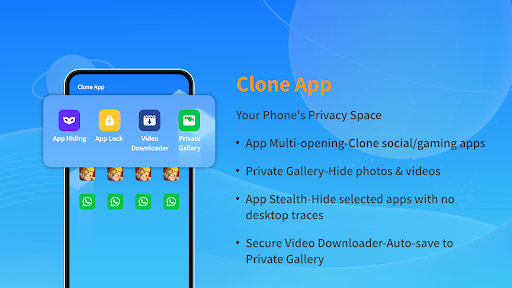
Parallel Space and Dual Account Management: Each cloned app runs in its own isolated virtual environment with zero data crossover between personal and work accounts. Everything stays separate by design.
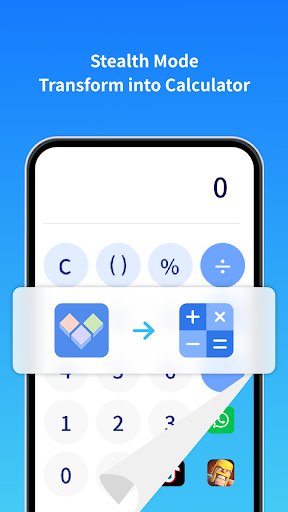
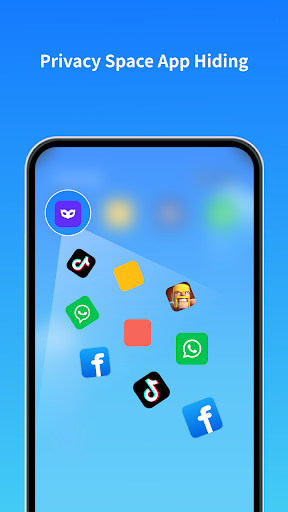
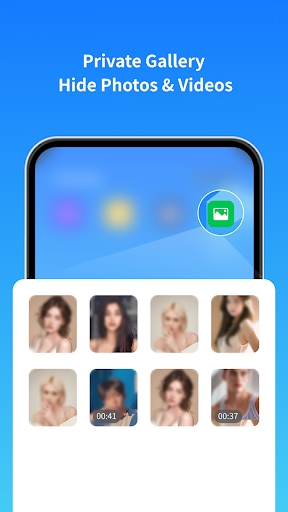
App Hider and Private Vault: Cloned apps can be hidden from the main device app drawer. A private vault adds a secondary layer of security, keeping sensitive apps and their data out of sight from anyone who picks up your phone.
PIN and Security Lock: A PIN code protects access to the Clone App environment, preventing unauthorized entry into cloned accounts or the private vault.
Device ID Changer: The app includes the ability to change the device ID seen by cloned apps. This helps avoid detection issues that some platforms use to identify multiple accounts running on the same hardware.
Fake GPS Support: A built-in location spoofing feature lets you set a virtual location for cloned apps, which is particularly useful for location-based games or apps tied to geographic restrictions.
Virtual Photo Album, Contacts, and Call History: Clone App provides virtual versions of your photo library, address book, SMS history, and call log specifically for use within cloned apps. This prevents cloned apps from accessing your real personal data.
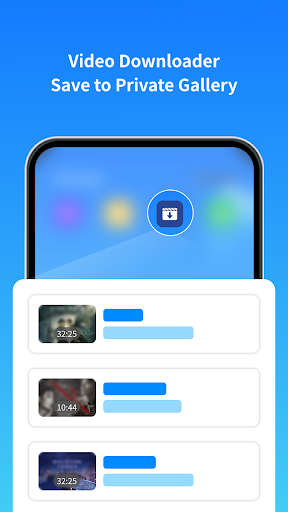
Built-in Browser with Video and Music Downloader: An integrated browser lets you download videos and audio files directly within the Clone App environment, accessible from the private space.
VIP Upgrade: The paid VIP tier removes ads, enables unlimited cloning beyond two accounts per app, and unlocks a dark theme alongside other premium tools.
Common Use Cases
Managing Separate Social Media Accounts: The most common reason people use Clone App is to keep personal and professional accounts active at the same time on one device. Rather than logging in and out repeatedly, both accounts stay live and receive notifications independently.
Running Two WhatsApp Numbers: For anyone with dual SIM cards or a business number separate from a personal one, Clone App makes it practical to run both WhatsApp accounts simultaneously without switching devices.
Mobile Gaming with Multiple Accounts: Gamers use cloned instances to run separate game accounts side by side, farming resources or progressing on different profiles without needing a second phone.
Separating Work and Personal Life: Keeping work apps like Slack, Teams, or email clients in a separate cloned space means work notifications do not bleed into personal use and vice versa.
Privacy Protection: The private vault and app hider features make Clone App useful for anyone who wants to keep certain apps invisible to others sharing the device.
Limitations
- Ad frequency is a recurring complaint across user reviews, and some VIP subscribers have reported that intrusive ads persisted even after paying
- Occasional stability issues including crashes, freezing, and cloned apps failing to open have been reported, particularly following major Android OS updates
- Push notifications from cloned apps can be unreliable, with some users experiencing delayed or missing alerts
- Unlimited cloning beyond two accounts per app requires a VIP upgrade
- Some social platforms actively detect and may ban accounts that are accessed through third-party cloning tools, so account risk is a real consideration for certain apps
- Billing issues with the VIP subscription have been flagged by a portion of users in reviews
Final Thoughts
Clone App does its primary job well. If you regularly juggle multiple accounts across WhatsApp, Instagram, Facebook, or mobile games, it removes the friction of constant logins and keeps everything neatly separated on one device. The virtual privacy tools, device ID changer, and fake GPS support go beyond what most basic app cloners offer. Ad volume on the free version is a genuine irritant, and the occasional post-update instability is worth knowing about before relying on it heavily. With over 67,000 ratings averaging 4.36 stars and around 320,000 monthly downloads, it has a well-established user base and continues to be one of the more capable cloning tools available on Android.
Similar Tools Apps
Among the best Tools apps available for Android, Clone App-Parallel Dual Space stands out alongside TeraBox Premium, ExpressVPN: Fast & Secure VPN and Panda Mouse Pro. Together, these apps cover a wide range of needs in the Tools category.
Related Posts

ExpressVPN: Fast & Secure VPN
Updated
 76 MB
76 MB
 v12.58.0
 Unlimited Accounts For Free

TeraBox Premium
Updated
116 MB
v4.13.7
Premium Unlocked

Panda Mouse Pro
Updated
8.91 MB
v9.2
Full Version (PREMIUM)

ZArchiver Donate
Updated
4.62 Mb
v1.0.10
MOD

SHAREit
Updated
13.54 Mb
v1.1.98
premium

vpnify
Updated
31.3 Mb
v2.2.9
unlimited