
 English
 Русский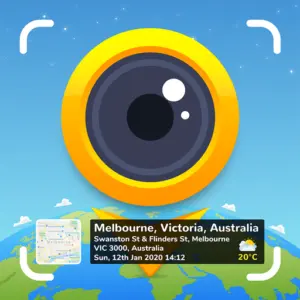


What Is GPS Map Camera?
GPS Map Camera is a free Android app that stamps your photos and videos with real-time location data, date, time, map overlays, and environmental readings, directly embedded onto the image at the moment of capture. No editing required afterward, and no manual effort to track where a photo was taken. Everything is recorded automatically and baked into the image itself.
The app has earned over 107,000 reviews on Google Play with a 4.2-star rating and has surpassed 10 million downloads. It targets a broad range of users, from travelers and field professionals to real estate agents, engineers, and anyone who needs verified, geotagged photo documentation.
How GPS Map Camera Works
Setup is straightforward. After installing the app, you open the camera, select from the Classic or Advanced stamp templates, and configure your preferred settings. Once configured, the app automatically applies the geolocation stamp to every photo you take. You do not have to adjust anything between shots.
The app uses external real-time GPS combined with server-synchronized time to generate each stamp. This combination is intentional: because the data is pulled from verified external sources rather than the device’s own clock, the timestamps are tamper-proof and cannot be altered after capture. This makes the photos suitable as verifiable evidence for reports, audits, and legal documentation.
Stamps can also be applied manually to photos already sitting in your gallery. If you forgot to geotag an image at the time of capture, you can add location data afterward by entering coordinates manually or dropping a pin on the map.
Key Features
GPS and Location Stamping: The core function. Every photo can carry the full address, latitude, longitude, plus code, altitude, and accuracy level. Map type can be set to Normal, Satellite, Terrain, or Hybrid, with the selected map appearing as a small embedded thumbnail directly on the image.
Date, Time, and Time Zone Stamps: Date format options include dd/mm/yyyy, mm/dd/yyyy, and yyyy/mm/dd. Time can be displayed in 12-hour or 24-hour format, and the time zone is shown as GMT or UTC. This flexibility means the stamps match whatever documentation standard your project or region requires.
Environmental and Atmospheric Data: Beyond location, the app can embed weather conditions including temperature in Celsius or Fahrenheit, wind speed, humidity, atmospheric pressure, and altitude. These are pulled automatically from real-time sources and added to the stamp without any additional input. This makes the app particularly useful for field surveys, site inspections, and scientific documentation where environmental context matters.
Compass and Magnetic Field: The app automatically records compass direction and magnetic field strength at the time of capture, adding orientation data to each image. This is useful in construction, navigation, and any field where knowing which direction a photo was taken is relevant.
Custom Logo and Branding: Users can upload their own logo or brand mark to appear on stamped photos. This is aimed at professionals who send geotagged images to clients or include them in formal reports, adding a layer of identity and professionalism to each image.
Notes and Hashtags: Free-text notes and hashtags can be added directly to the stamp. This allows a photographer or field worker to annotate an image with project names, observations, or tags at the moment of capture, without relying on separate note-taking tools.
Video Stamping: GPS Map Camera extends all stamp functionality to video recording. GPS coordinates, location, date, time, and weather data can be embedded into video footage in the same way as photos, making it a complete documentation tool across both media types.
Auto Photo Naming: Photos are automatically named using location, date, and time data drawn from the stamp. This removes the need to manually rename files and produces a clean, organized library that is ready for sharing, archiving, or inclusion in reports.
Photo Numbering: Sequential photo numbering was added in a recent update, making it easier to locate specific images within a large batch of documentation photos.
Full Camera Controls: Beyond the stamp functionality, GPS Map Camera operates as a complete camera app with grid overlay, aspect ratio selection, front and selfie camera switching, flash control, focus adjustment, mirror mode, timer, camera level indicator, scene modes including beach, snow, sunset, night portrait, and HDR, and a range of filters including auto-fix, brightness, contrast, and hue adjustment.
QR Code Scanner: A built-in QR code scanner is included for quick access without switching apps.
Template System: Two template formats are available. The Classic template auto-populates stamp details with minimal configuration. The Advanced template gives full control over every data field, map type, coordinate format, and visual layout, allowing experienced users to build precise, customized stamps for specific professional or personal use cases.
Who Uses GPS Map Camera
The app’s combination of location verification and visual documentation makes it relevant across a wide range of professional contexts.
Real estate agents use it to stamp property photos with confirmed location, date, and time before sharing them with clients or including them in listings. Construction and civil engineering teams use it to document site progress with time-stamped, geotagged evidence that holds up in reporting and audits. Insurance adjusters and legal professionals use it for field evidence that needs to be traceable and tamper-proof. Field researchers and environmental survey teams benefit from the atmospheric data stamping, which adds scientific context to photographic records.
For personal use, travelers and hikers use GPS Map Camera to build a geotagged record of their journeys, automatically documenting exactly where and when each photo was taken without having to rely on memory or manual annotation afterward.
Limitations
- The interface has been noted as cluttered and somewhat overwhelming for first-time users, given the number of stamp fields and configuration options available
- The camera performance is optimized for documentation rather than artistic photography. Users looking for a primary creative camera app will find more capable options elsewhere
- Some stamp layout options can cover a significant portion of the image, depending on how many data fields are enabled
- The free version includes ads, and certain advanced features may require upgrading
- Manual location editing, while available, means the tamper-proof guarantee applies only to automatic GPS captures, not manually adjusted stamps
- GPS accuracy depends on device hardware and signal quality. In areas with weak GPS reception, location data may be imprecise
Final Thoughts
GPS Map Camera does exactly what it sets out to do and does it well. For anyone who needs verifiable, location-stamped photo and video documentation, it removes the manual work entirely and produces images that are ready for professional use from the moment they are captured. The breadth of stamp data available, from GPS coordinates and map overlays to wind speed and atmospheric pressure, puts it well ahead of simpler geotagging apps. The interface is dense, and the camera is not built for creative photography, but neither of those things is the point. With over 10 million downloads and a consistent professional user base, GPS Map Camera has established itself as a practical, reliable tool for field documentation on Android.
Similar Photography Apps
If you find GPS Map Camera useful, you might also want to explore Hypic – Photo Editor & AI Art and GCamera: GCam & HD Pro Photos. These are top-rated Photography apps for Android that complement GPS Map Camera well and offer additional functionality.
 253 MB
  v8.4.0