
 English
 Русский
ZArchiver Donate MOD APK: Secure, Powerful File Management on Android
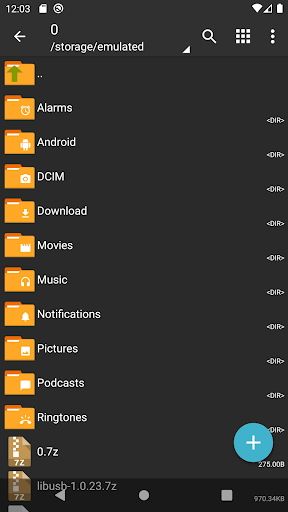
ZArchiver Donate is a capable file archiving app that combines strong privacy controls, broad format support, and a clean interface into one offline-first tool. It handles everything from creating and extracting archives to editing files directly within them, all without requiring internet access. If you manage a lot of files on Android and need a reliable archiver that respects your privacy, ZArchiver is worth a close look.
Key features include password-protected archives, image preview, multi-part archive support, and the ability to install APK and OBB files directly from backups.
Full Archive Support Across All Major Formats
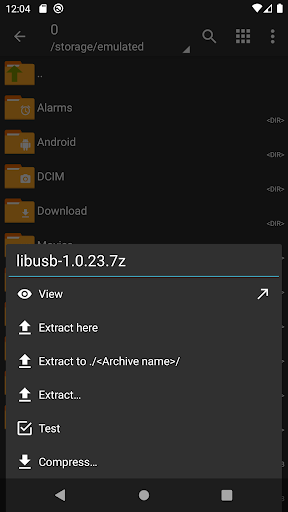
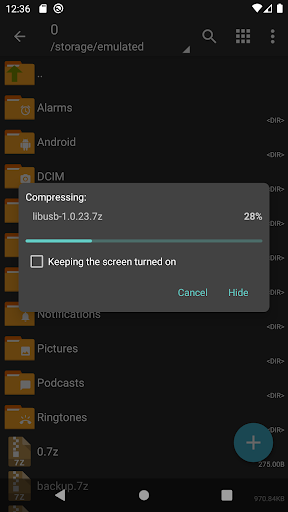
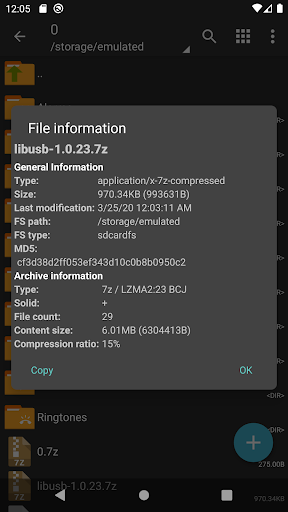
ZArchiver supports a wide range of archive formats for both creation and extraction. You can create 7z and zip archives, and extract from formats including 7z, zip, rar, tar, apk, mtz, and more. Split archive formats are also supported, including 7z.001, zip.001, part1.rar, and z01, making it straightforward to work with large multi-part files.
The app runs efficiently on Android 9 and above, with multithreading support for faster processing and compatibility with UTF-8 and UTF-16 filenames.
Customizable Interface With Light and Dark Themes
ZArchiver Donate MOD APK lets you switch between light and dark themes, giving you control over how the app looks and feels. It is a small but useful touch that makes the app more comfortable to use across different environments and lighting conditions.
Password Management and Encrypted Archives
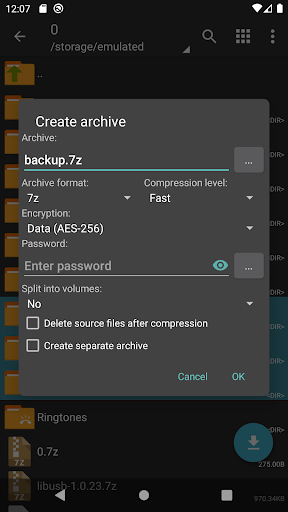
The app includes reliable password management for protected archives. You can create password-encrypted archives and decompress them with the same level of security, adding a practical layer of protection for sensitive files. Passwords are stored securely within the app, so you do not need to rely on external tools to manage them.
Image Preview and In-Archive File Editing
ZArchiver includes an image preview feature that lets you view photos directly from within an archive, without extracting them first. This makes it much faster to locate and sort visual content when working with large archives.
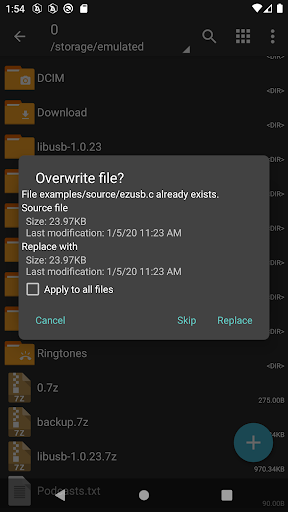
Beyond previewing, you can also edit files directly inside supported archive formats, including zip, 7zip, tar, apk, and mtz. This saves time when you need to make quick changes without unpacking and repacking entire archives.
Privacy-First Design With No Internet Permission
ZArchiver does not request internet access, which means it operates entirely offline. No data is transmitted to external servers, and your files stay on your device. This makes it a strong option for users who handle sensitive documents and want to keep their file management activity completely private.
Multi-Part Archives and App Data Restoration
ZArchiver supports creating multi-part archives in 7z and rar formats, which is useful when dealing with large files that need to be split for storage or transfer. Decompression of multi-part archives is fully supported as well.
The app also simplifies the process of restoring apps and their associated data, making it a practical backup and recovery tool for Android users.
Conclusion
ZArchiver Donate MOD APK is a well-rounded file archiver that handles a wide range of tasks reliably. From encrypted archive creation to in-archive editing, image preview, and offline-only operation, it covers the needs of both everyday users and those with more advanced file management requirements. If you want a dependable, privacy-conscious archiving tool for Android, ZArchiver Pro delivers exactly that.
Similar Tools Apps
If you find ZArchiver Donate useful, you might also want to explore TeraBox Premium, ExpressVPN: Fast & Secure VPN and Panda Mouse Pro. These are top-rated Tools apps for Android that complement ZArchiver Donate well and offer additional functionality.
Related Posts

ExpressVPN: Fast & Secure VPN
Updated
 76 MB
76 MB
 v12.58.0
 Unlimited Accounts For Free

TeraBox Premium
Updated
116 MB
v4.13.7
Premium Unlocked

Panda Mouse Pro
Updated
8.91 MB
v9.2
Full Version (PREMIUM)

SHAREit
Updated
13.54 Mb
v1.1.98
premium

vpnify
Updated
31.3 Mb
v2.2.9
unlimited

Clone App-Parallel Dual Space
Updated
41 MB
v4.0.1
Premium Unlocked